Site Expensify — Tailored Industry Solutions

Construction Management Software for Builders, Contractors & Site Teams

From the owner’s office to the site gate, every construction business and team has different problems. See how Site Expensify fits the way you work.

6 Business Sectors 6 Job Roles 10 Connected Modules
Site Expensify Construction Management Software for Builders, Contractors & Site Teams
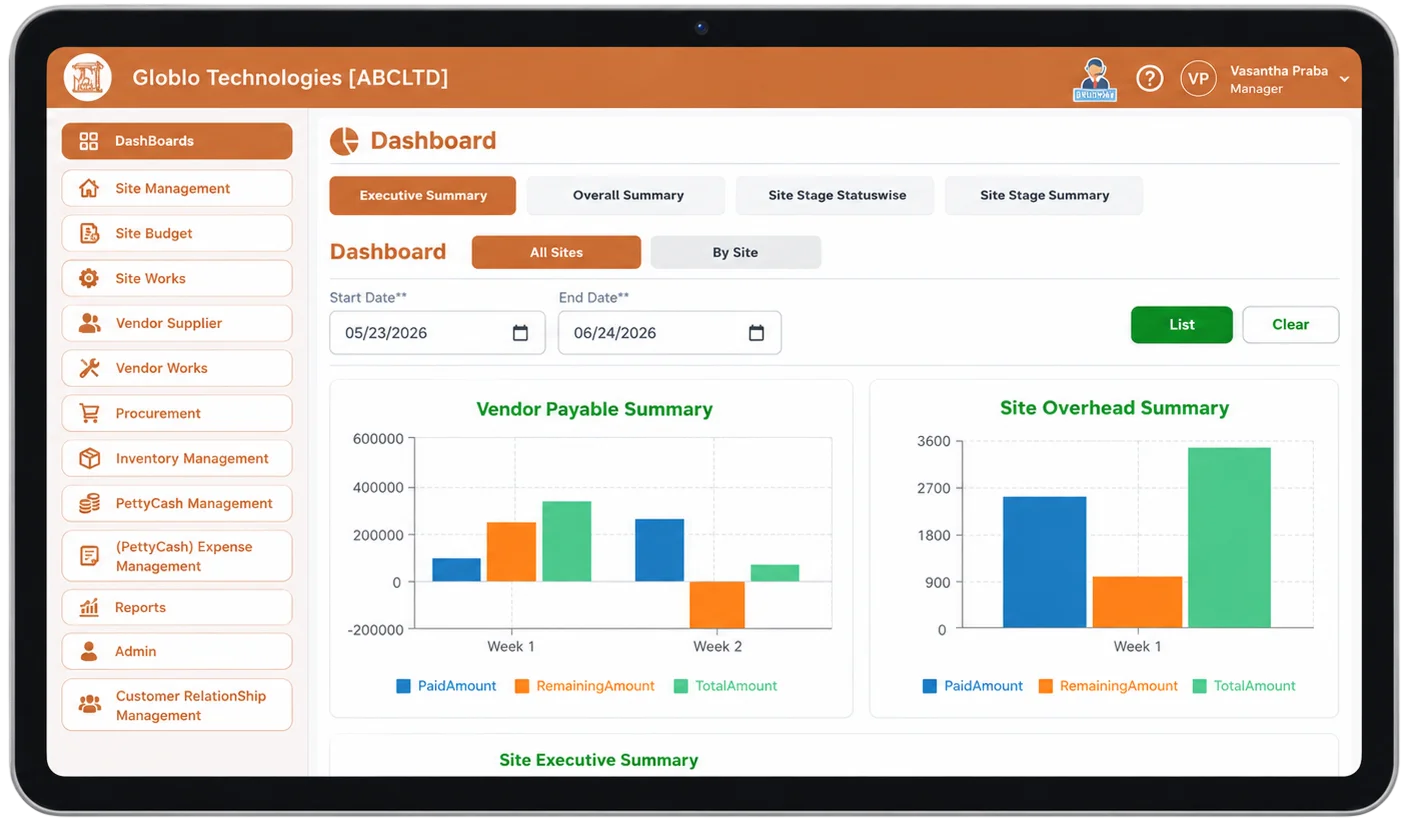
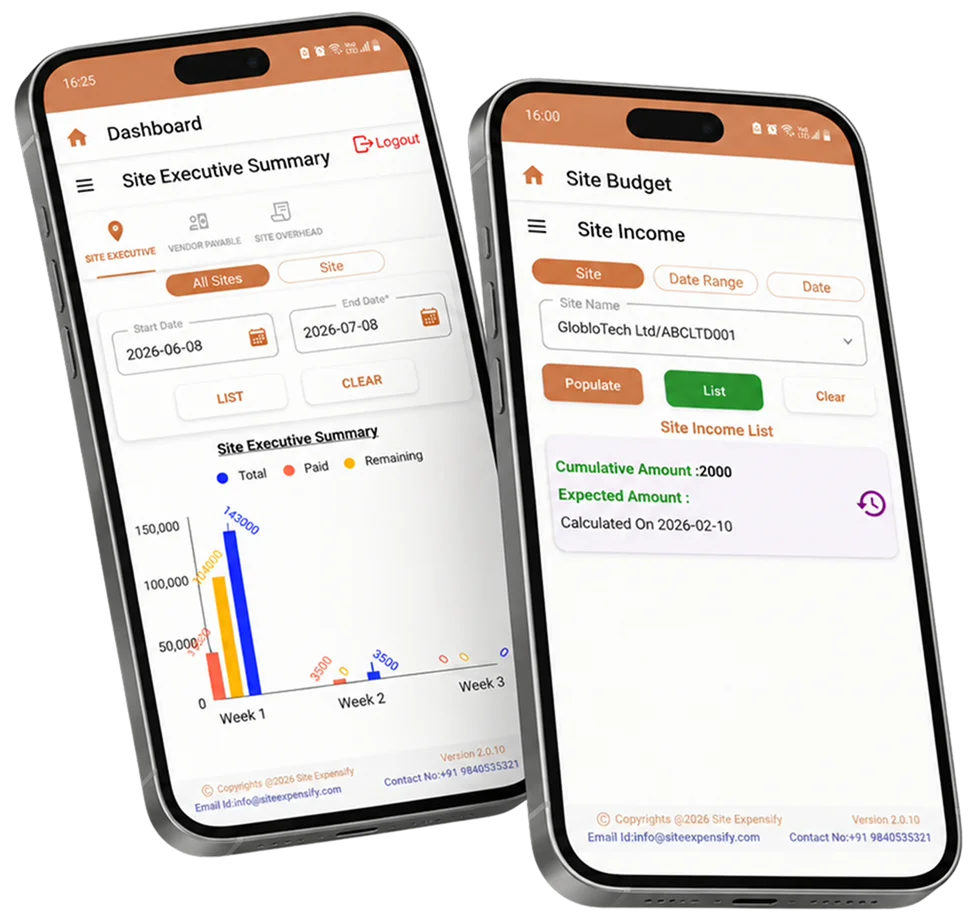
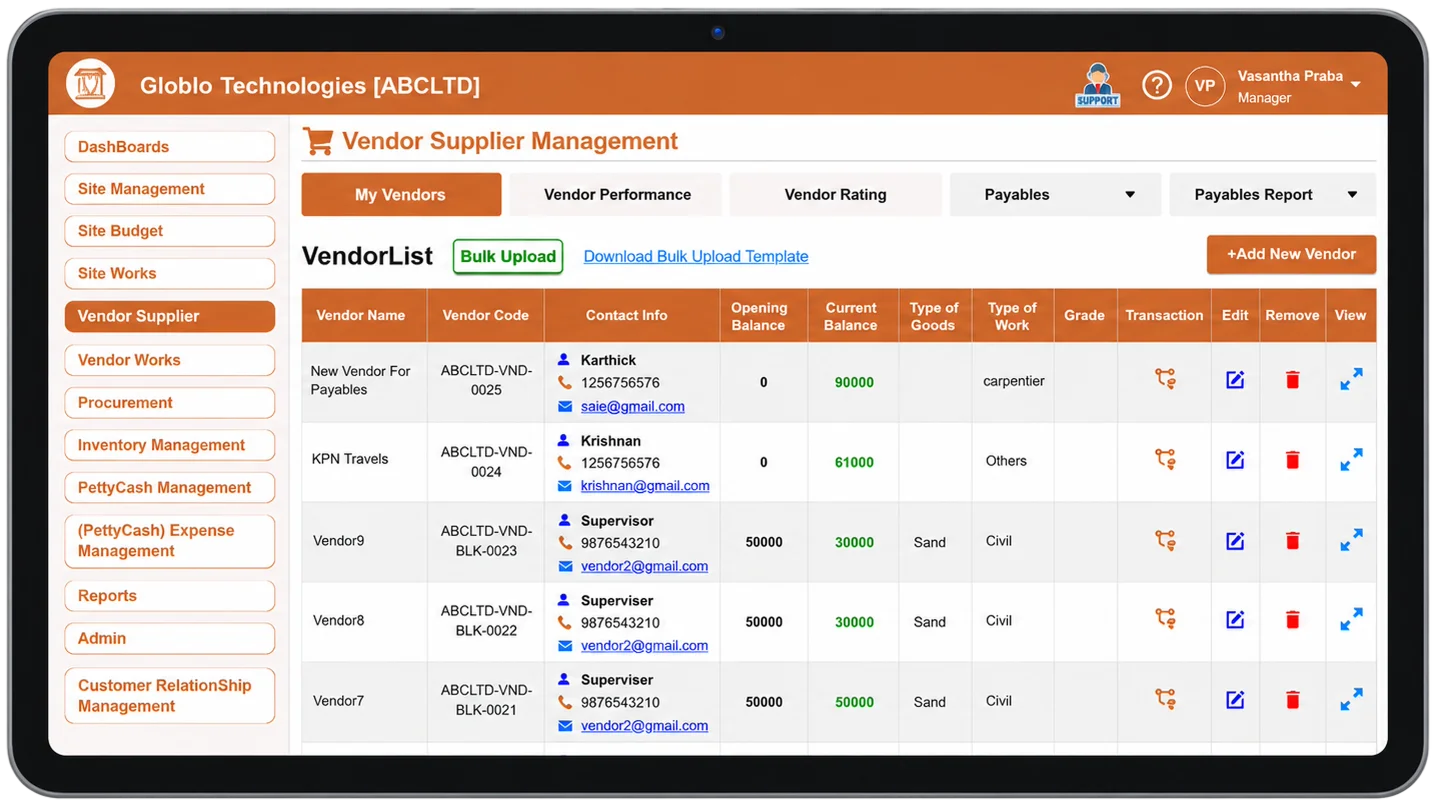
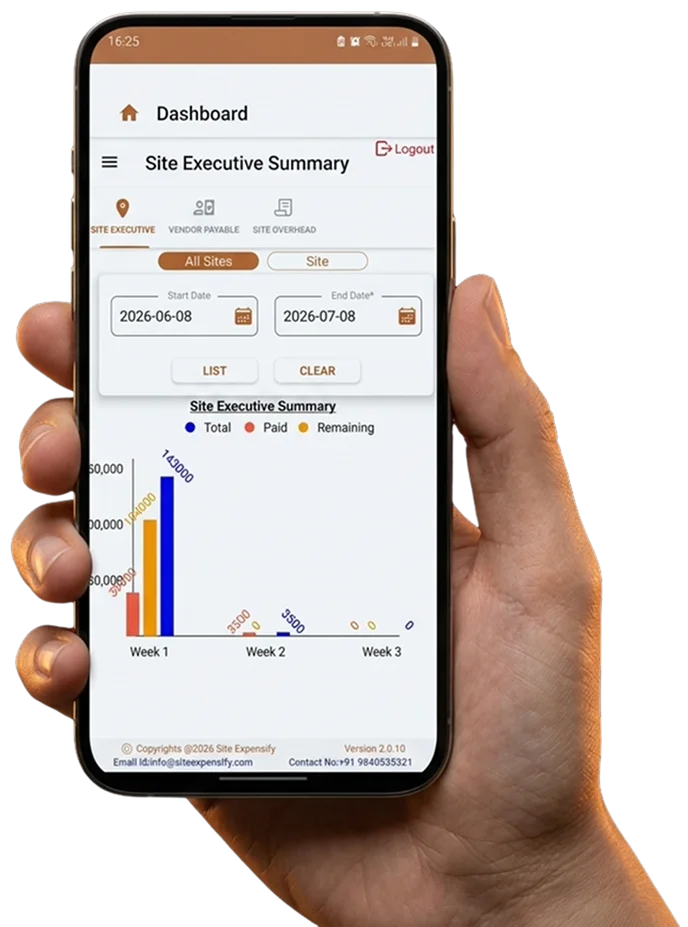
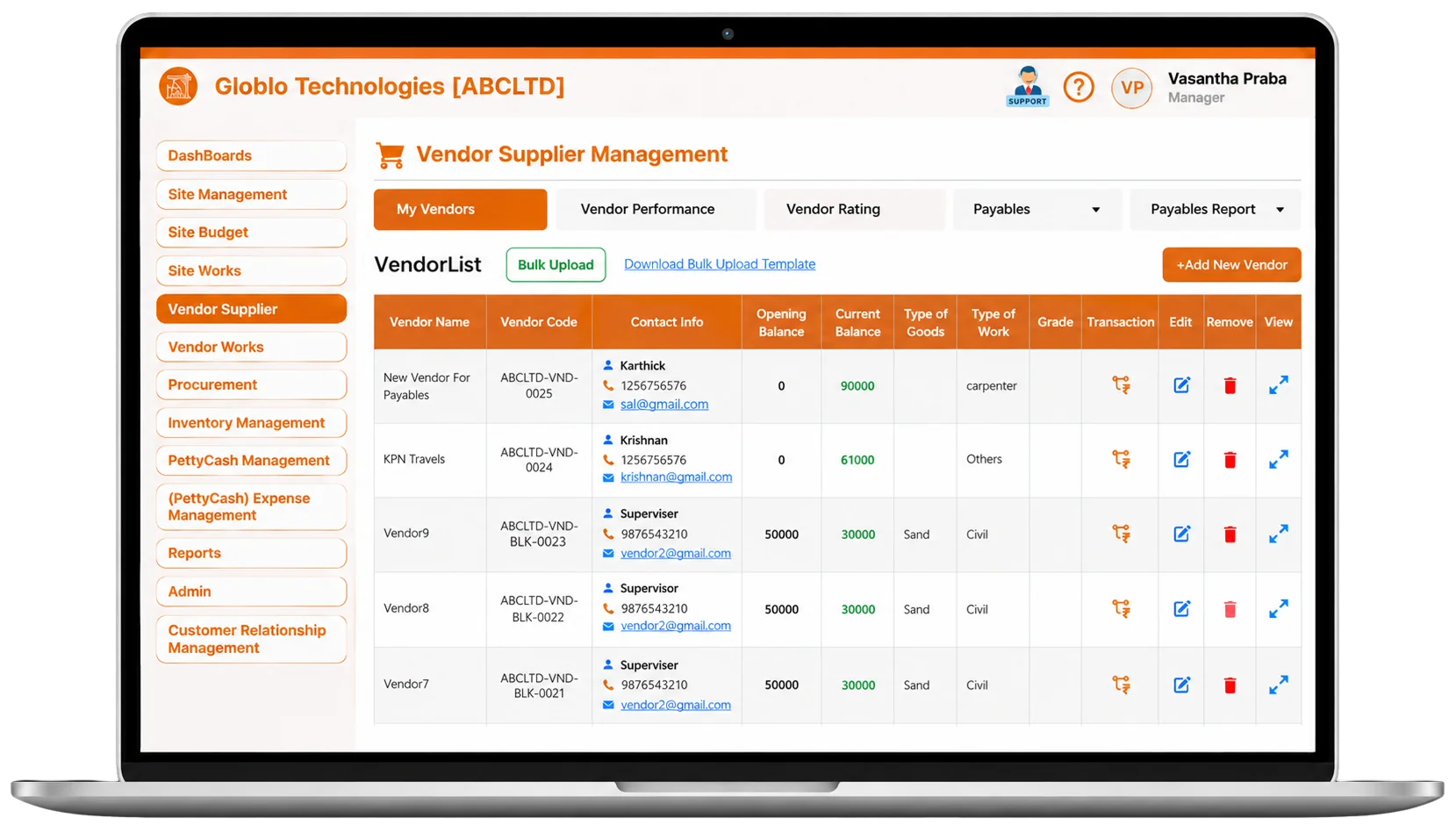
Site Expensify Construction Management ERP Laptop and Mobile App Showcase with Real-Time Field Sync

Construction Management Software for Every Business and Every Role

No two construction businesses are alike. Residential builders, civil contractors, and infrastructure developers all work differently, and so do their team sizes. The people inside each business differ too, from the owner to the site supervisor.

Industry Focus

Businesses We Serve

Construction businesses differ in size and in the kind of work they take up, yet their money and material problems tend to look alike. Find your business below and see how Site Expensify helps.

01
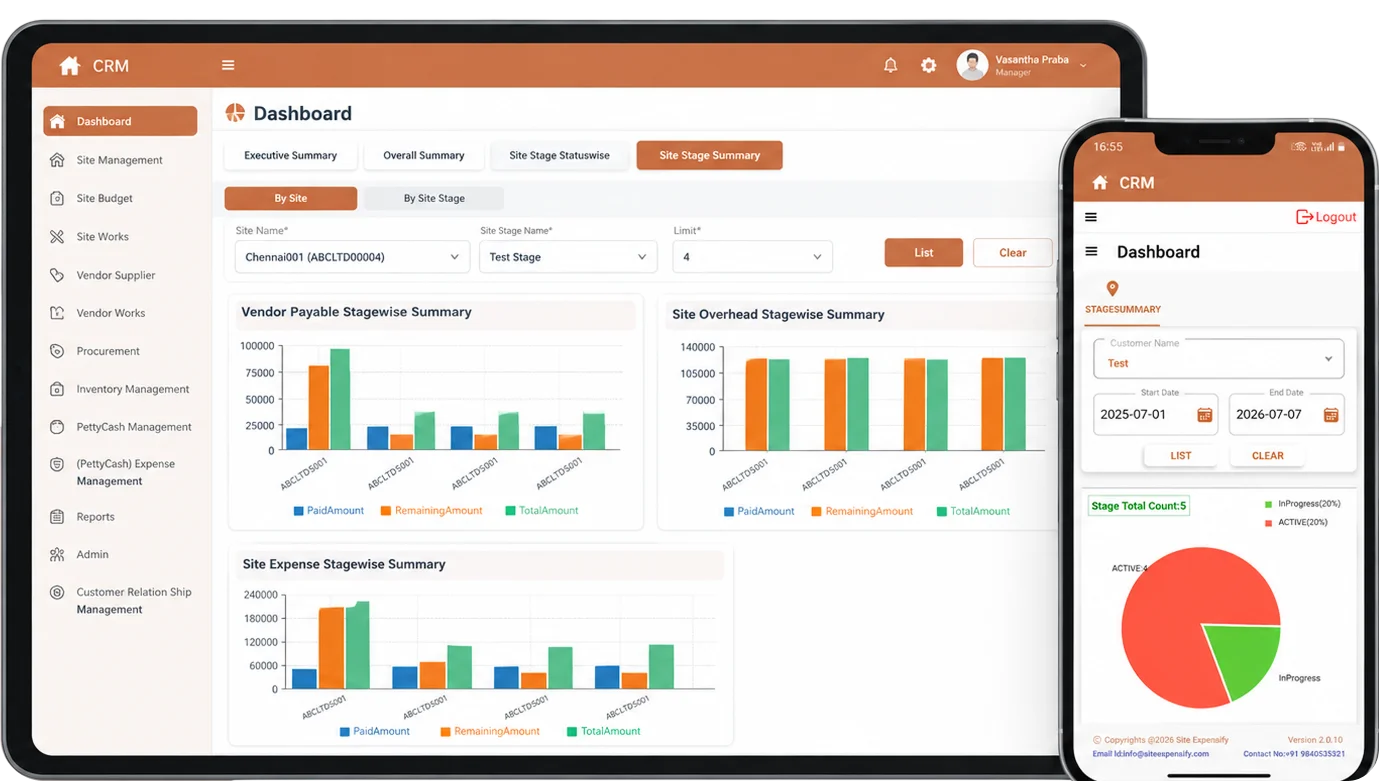
Module 02: Expense Management Expense & Financial Management Tablet UI for Builders
Residential & Commercial

Builders

The Challenge

Costs creep up quietly between the foundation and handover, and by the time anyone notices, the margin is gone.

The Site Expensify Solution

With Site Expensify, every expense and material purchase is recorded against the project on the day it happens. Builders can compare budget with actual spend while there is still time to act, and hand over residential and commercial builds with the margin intact.
See how it works
02
Module 10: Multi-Site Operations
Multi-Site Executive Overview Tablet UI for Construction Companies
Multi-Site Operations

Construction Companies

The Challenge

The owner is juggling several projects and several site teams, with no single picture of any of them.

The Site Expensify Solution

Put every site on one platform, and that picture changes. Construction companies see progress and spending project by project, and they can set clear approval steps. Calls, messages, and month-end reports are no longer the only way to know where things stand.

See how it works
03
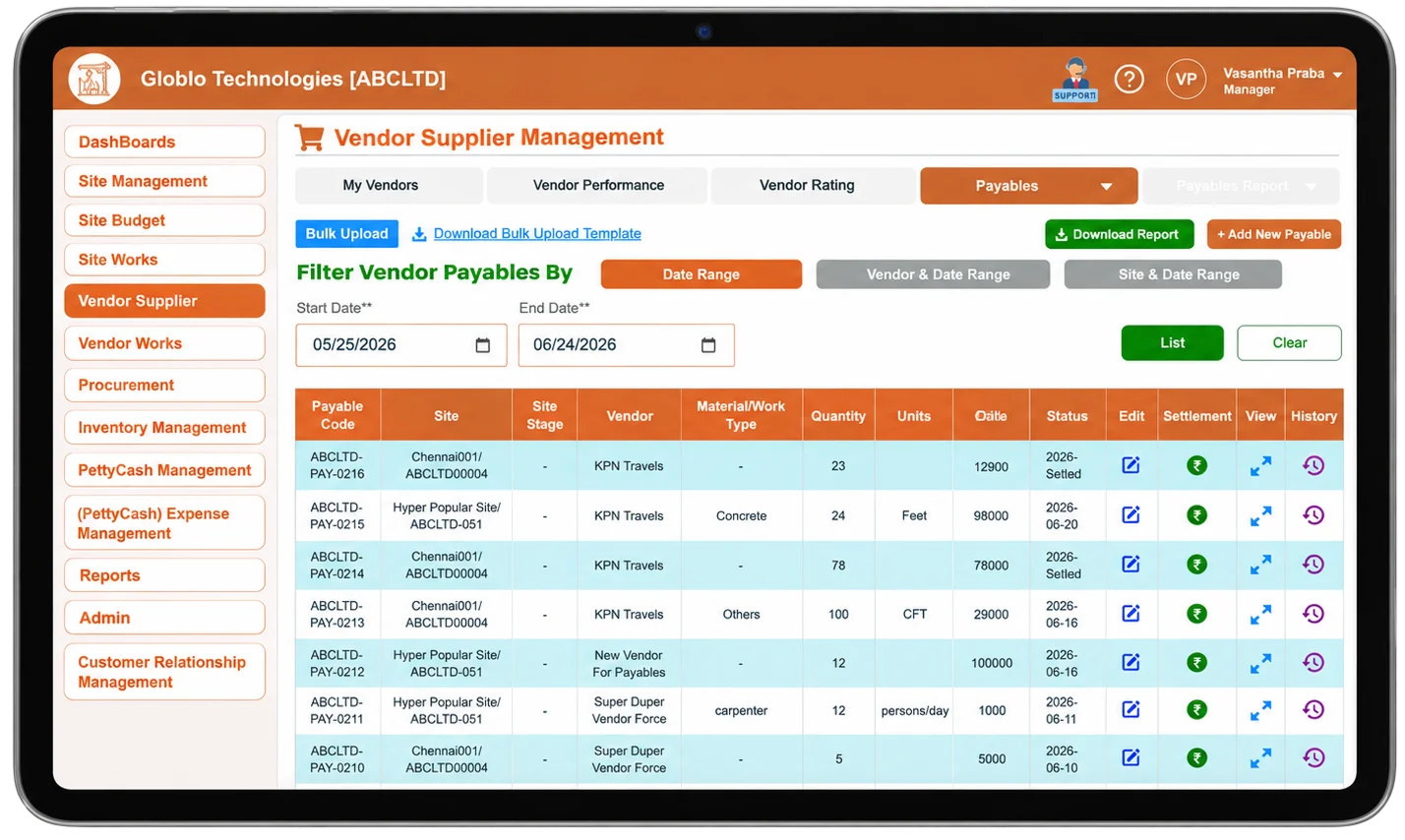
Module 05: Vendor Payables Vendor Payables Filter by Date Range Tablet UI for Civil Contractors
Long-Running Projects

Civil Contractors

The Challenge

On long-running works, thousands of small entries for materials, labor, and vendor payments pile up, and gaps creep in over time.

The Site Expensify Solution

Site Expensify keeps those records organized from day one. Civil contractors can trace where the money spent, keep vendor payments in order, and avoid disputes that begin with missing or scattered paperwork.

See how it works
04
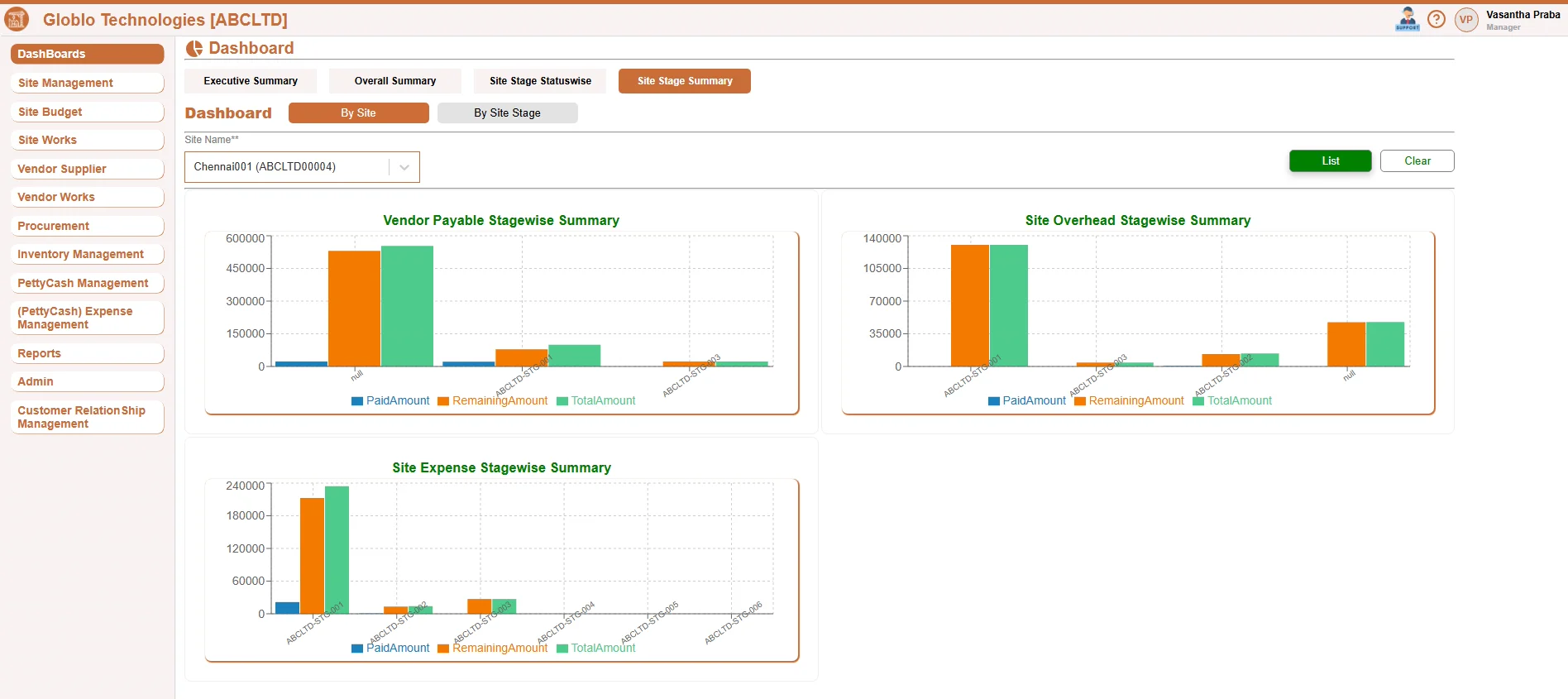
Module 08: Portfolio Analytics Portfolio & Stage Summary Device Showcase for Real Estate Developers
Portfolio & Funding Control

Real Estate Developers

The Challenge

Developers run several projects at once, and an overrun on one can put pressure on the whole portfolio.

The Site Expensify Solution

Project-wise tracking lets developers compare planned and actual costs across projects and catch overruns early. Funding and timeline decisions then rest on current figures, not estimates, which matters most when projects compete for the same money.

See how it works
05
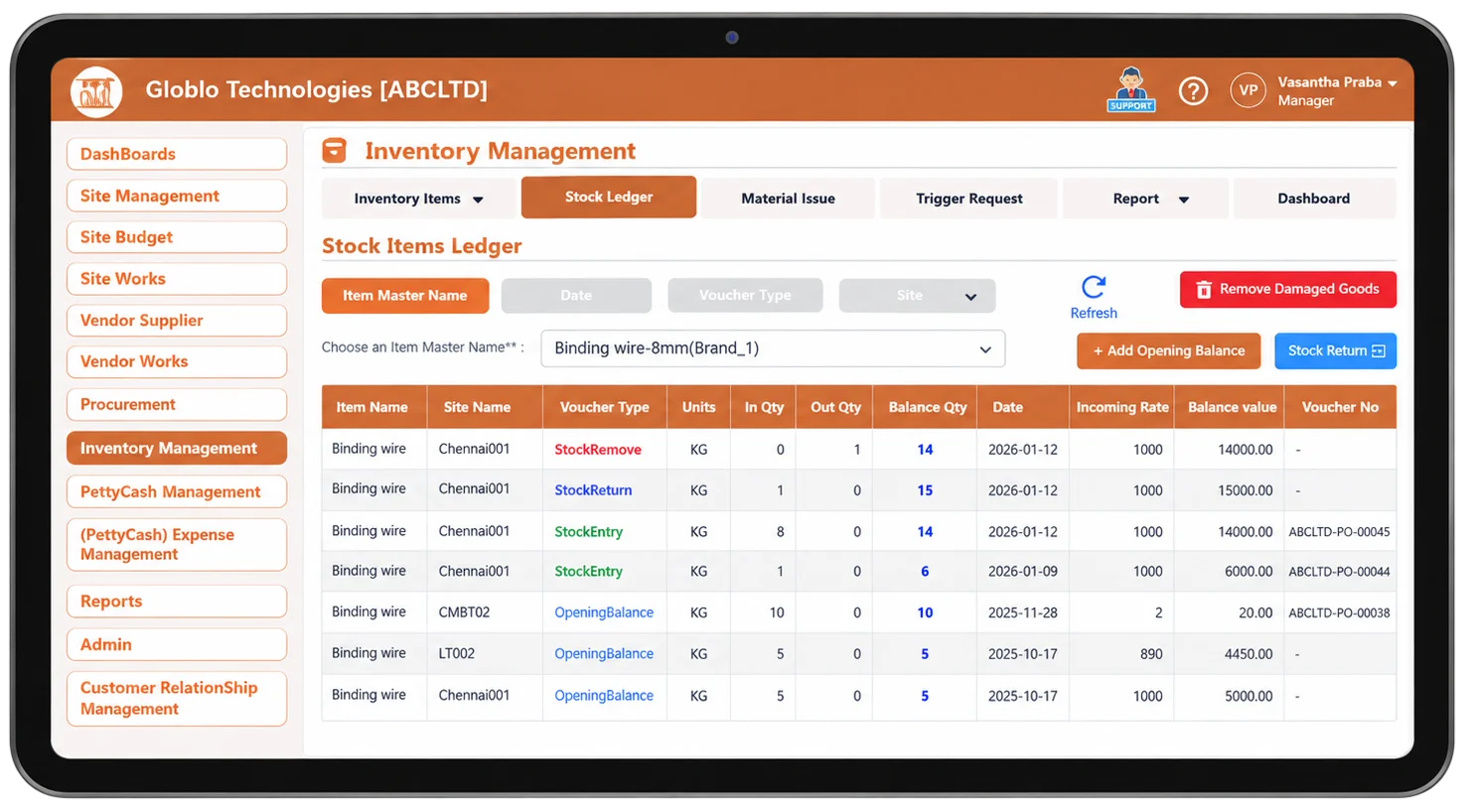
Module 04: Stock Ledger Inventory Management Stock Items Ledger Tablet UI for Infrastructure Companies
Multi-Location Governance

Infrastructure Companies

The Challenge

When a project is spread across many locations, it is hard to hold anyone accountable for what gets spent and used.

The Site Expensify Solution

Head office gets one view of every location, while each site team can open only its own work. Even as the project grows, it stays clear who is responsible for what.

See how it works
06
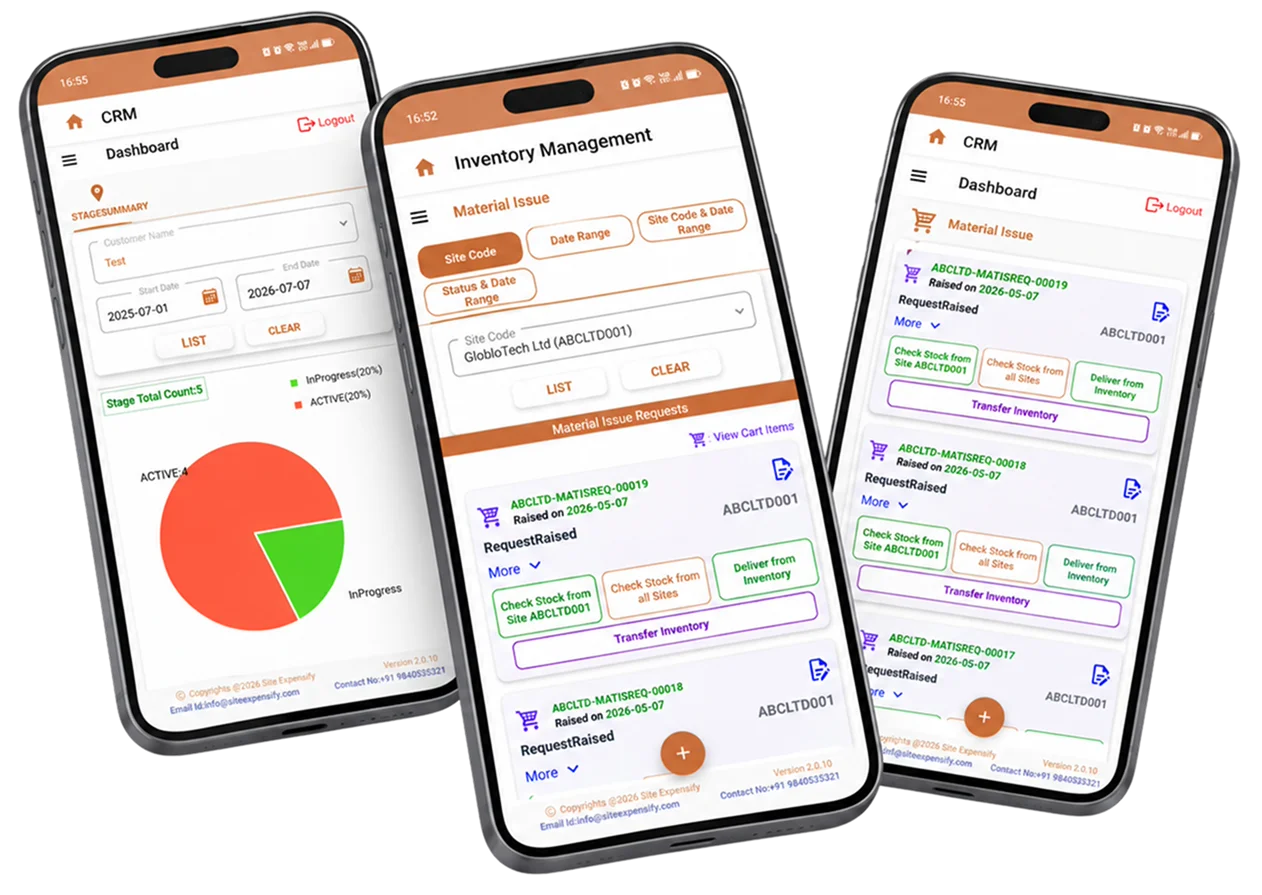
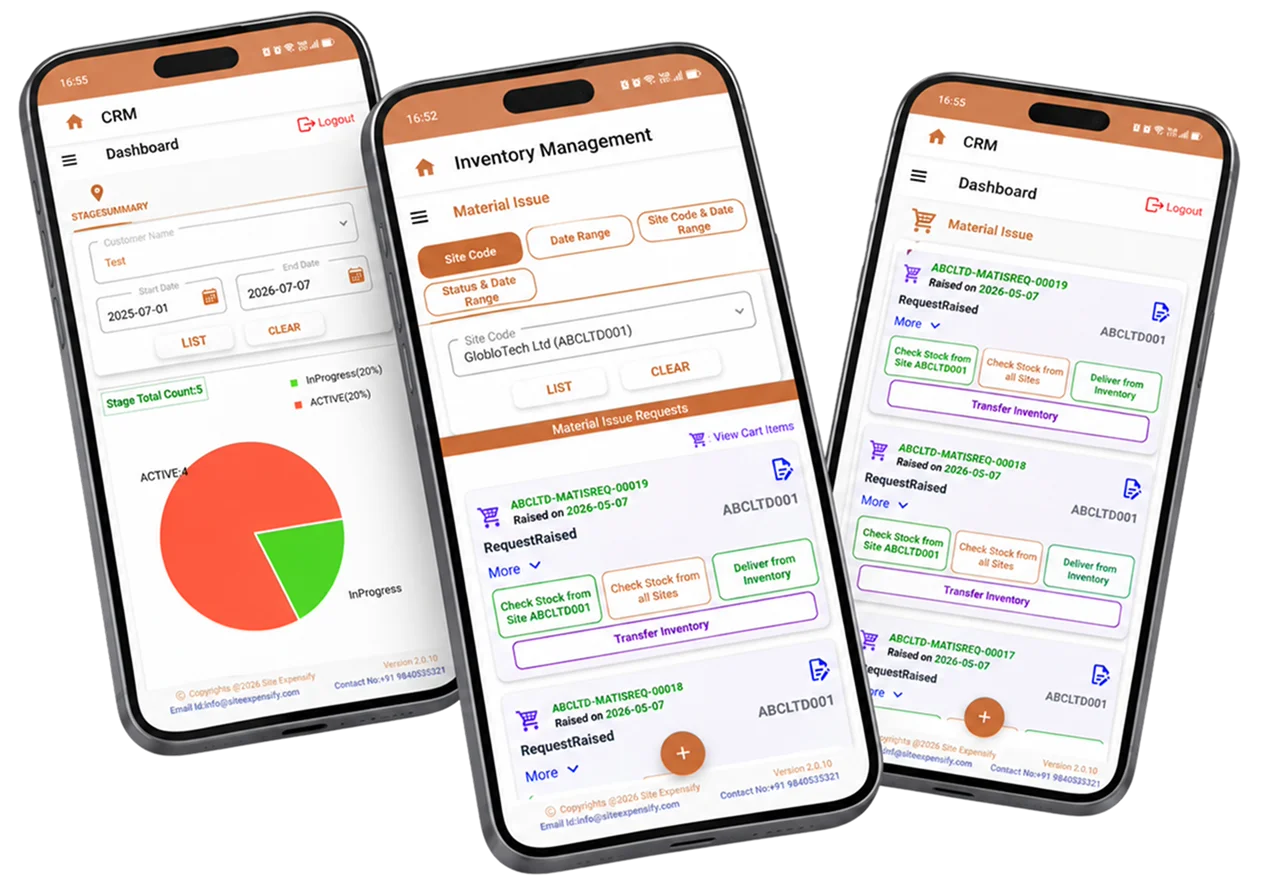
Module 07: CRM & Payments CRM & Stage Summary Mobile App Showcase for Flat Promoters
Block-Wise Phased Construction

Flat Promoters

The Challenge

Every block means tracking material, labor, and vendor costs, and buyers still expect their flats on time.

The Site Expensify Solution

Promoters can keep construction costs organized by project and control purchases through an approval process. They also know their running cost before the next payment or phase falls due, so fewer surprises turn up.

See how it works
Role-Based Architecture

Teams We Serve

A director, a site engineer, and an accountant each need different information. Site Expensify gives every role what it needs and keeps sensitive financial data with the people who should see it.

01 Executive Leadership

Business Owners / Directors

The Daily Challenge

You can’t be at every site, yet every dollar spent comes back to your decision.

How Site Expensify Helps

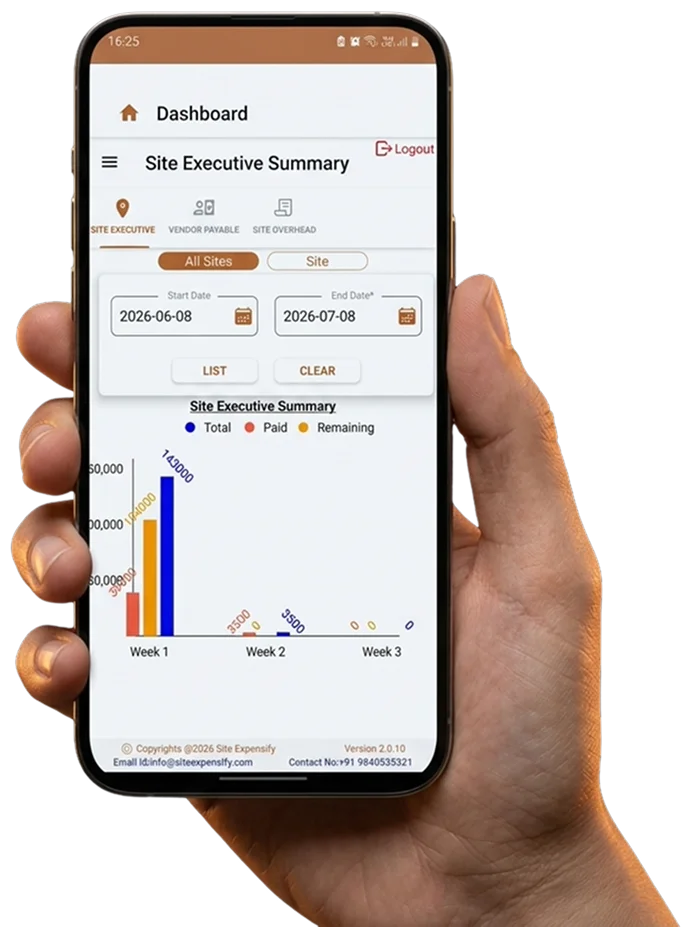
A live view of finances and progress across sites replaces the wait for reports. Owners and directors spot problems early, ask about the right numbers, and stay in control without chasing anyone for updates, even when they are away.

Multi-Site P&L View Zero Status Chasing Daily Cash Flow Audit
Executive Handheld
Handheld Executive Summary Mobile UI for Business Owners
02 Timeline & Budget Execution

Project Managers

The Daily Challenge

Timelines slip and budgets drift when news reaches you too late, and by then the damage is already done.

How Site Expensify Helps

With Site Expensify, project managers can follow progress against the timeline and budget as it happens. Site Expensify gives you an early warning instead of a late surprise, so a delay is handled before it spreads to the next task.

Milestone Dependency Alerts Budget Drift Warnings Live Task Completion %
Timeline & Gantt
Live Site Progress Tracking Tablet UI for Project Managers
03 Field Operations

Site Supervisors

The Daily Challenge

Paper registers and messages get lost, and the office hears about problems too late.

How Site Expensify Helps

Supervisors report daily progress and request material straight from the site on their phone. An entry takes a few taps, reaches the office quickly, and leaves a clear record, so nobody has to dig through a register later.

3-Tap Mobile Progress Log Instant Material Indents Petty Cash Voucher Upload
Field Mobile App
3-Tap Mobile Site Progress & Petty Cash Logging for Site Supervisors
04 Technical & Material Requests

Site Engineers

The Daily Challenge

Everyone asks the engineer for progress updates and material needs, yet there is no single place to record them.

How Site Expensify Helps

Site engineers log the work done and the materials required in one place, where the rest of the team can see it. Purchases and next steps are then decided on what is really happening on site, which cuts guesswork and repeat phone calls.

Unified Request Ledger Real-Time Stock Issue Zero Double-Ordering
Technical Indents
On-Site Material Indenting App Showcase for Site Engineers
05 Procurement & Orders

Purchase Officers

The Daily Challenge

Material requests pour in from many sites, and approvals stall when nobody knows where a request stands.

How Site Expensify Helps

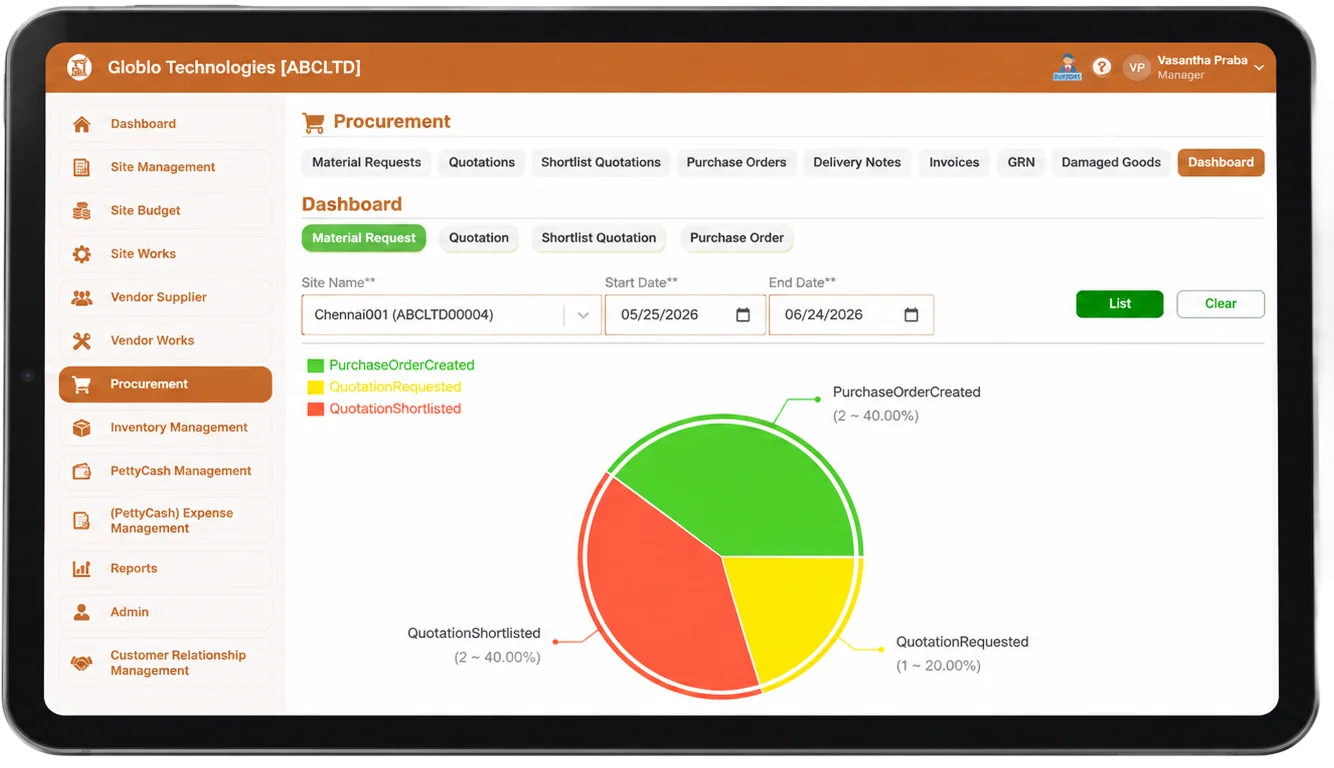
Each request moves through a clear approval process, so purchase officers see what is pending at a glance. Vendor records stay in one place, and duplicate or unauthorized purchases are easier to catch before money is spent.

3-Role PO Approval Chain Vendor Price Comparisons Duplicate PO Prevention
PO Approvals
Procurement Management & 3-Role PO Approvals Tablet UI for Purchase Officers
06 Finance & Reconciliation

Accountants

The Daily Challenge

Expenses arrive late, incomplete, or in the wrong format, and reconciliation drags on for days.

How Site Expensify Helps

Accountants work from entries recorded at the source and see payments and vendor dues in one place. Closing the books no longer means chasing site staff for missing details, so month-end feels like routine work instead of a scramble.

Source-Verified Bookkeeping Automated Vendor Ledger 1-Click Month-End Close
Finance & Ledger
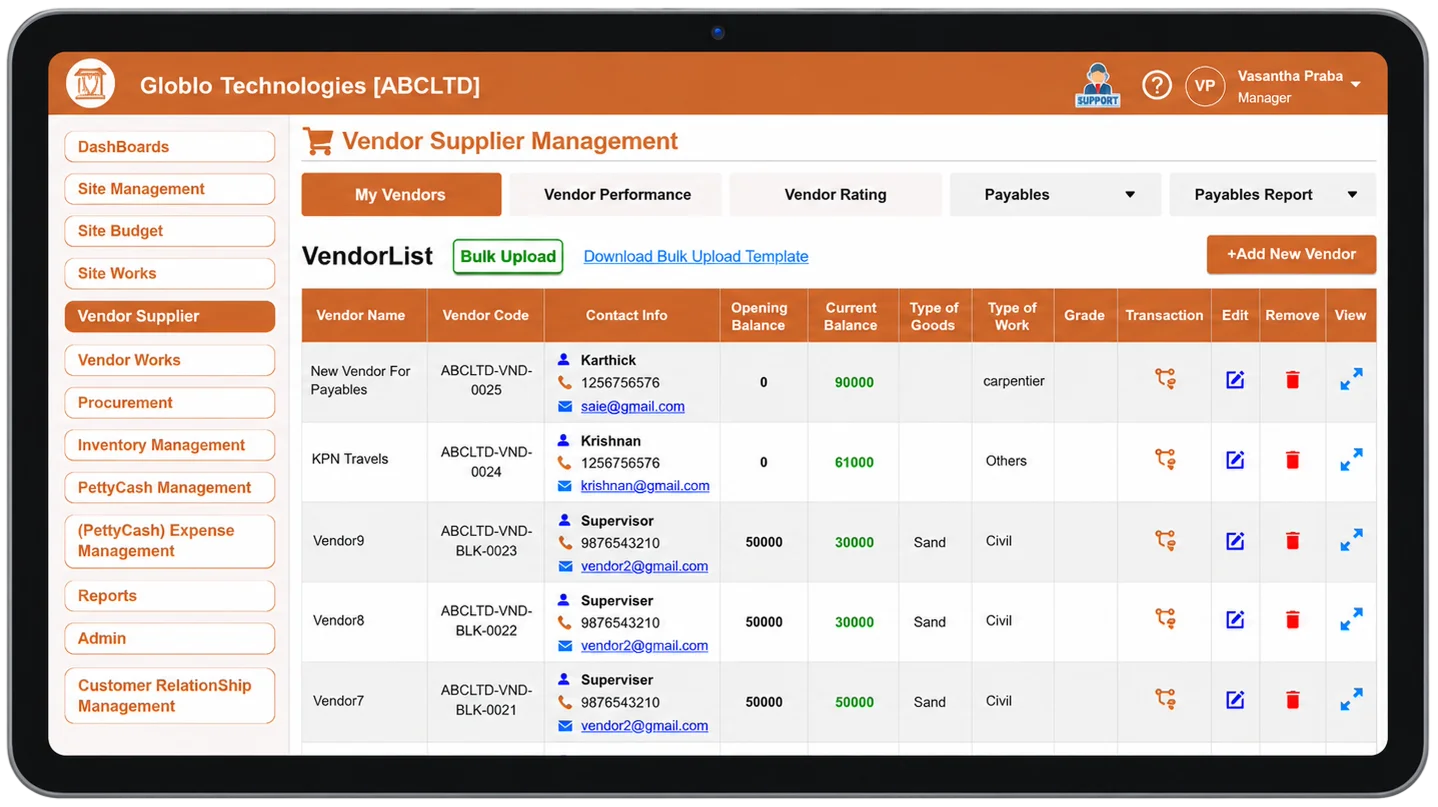
Vendor Supplier Management & Payables Ledger Tablet UI for Accountants
Clear Answers

Frequently Asked Questions About Who Can Use Our Construction Management Software

Everything you need to know about how Site Expensify adapts to companies of all sizes and team roles.

Site Expensify is built for builders, construction companies, civil contractors, infrastructure firms, real estate developers, and flat promoters. It gives owners clear numbers and site teams a fast way to log their work.

Yes. A small builder with one or two sites gets tidy records and clear costs, while a large company sees every site in one place. You can start small and keep the same system as you grow.

Yes. Even on projects that run for years, every material, labor, and vendor entry stays organized and easy to trace. Head office can follow spending across all locations until the final bill.

Yes. You can track costs project by project, compare planned and actual spend, and control purchases through approvals. That way you know your running cost before the next payment or phase comes due.

No. Site teams can log progress and material needs from their phone in just a few taps. Book a demo to see how quickly your own team picks it up.
Built for Construction Teams

Find Out How Site Expensify Fits Your Business

Tell us your business type: builder, civil contractor, developer, flat promoter, or infrastructure company. We’ll show you what Site Expensify would change for your projects and your team.

Site Expensify Construction Management Mobile App
Chat on WhatsApp Call +91 98405 35321